Table of Contents
ToggleThe Nintendo Switch changed portable gaming when it launched, but its audio ecosystem? That’s been a different story. If you’ve ever jumped into Splatoon 3 or Fortnite expecting seamless voice chat, you know the frustration. Unlike PS5 or Xbox, the Switch doesn’t make finding a quality headset straightforward, and that’s before you deal with the console’s quirky Bluetooth limitations.
Here’s the thing: the right headset transforms your Switch experience. Whether you’re coordinating push strategies in ranked matches or just want to hear enemy footsteps in handheld mode, audio matters. But with dozens of options claiming Switch compatibility and wildly different connection methods, how do you actually pick one that works?
This guide cuts through the noise. We’ll break down what makes a headset genuinely Switch-compatible, which features actually matter for portable and docked play, and how to avoid the common pitfalls that leave players with expensive paperweights. No fluff, just what you need to make an well-informed choice in 2026.
Key Takeaways
- A Nintendo Switch headset with mic is essential for voice chat in competitive games like Fortnite and Apex Legends, while first-party titles like Splatoon 3 require Nintendo’s mobile app workarounds.
- Wired 3.5mm connections offer zero latency and universal compatibility, while wireless 2.4GHz dongles provide mic support and freedom of movement that native Bluetooth cannot deliver.
- Bluetooth audio on Switch has strict limitations—no mic support, disabled during local multiplayer, and higher latency (100-200ms)—making wired or dongle solutions superior for gaming.
- Mid-range headsets ($50-$100) like the SteelSeries Arctis Nova 3 and Razer Kaira offer the best value for Switch players, balancing audio quality, comfort, and connectivity without unnecessary premium features.
- Comfort, microphone quality, and connection type matter more than high price tags; a $60 headset with a clear cardioid mic and lightweight design outperforms expensive flagships that offer features the Switch cannot fully utilize.
- Test your Nintendo Switch headset with mic across both handheld and docked modes before committing, as USB-C compatibility and dongle functionality vary widely even among headsets marketed as ‘Switch-compatible.’
Why You Need a Headset with Mic for Nintendo Switch
Voice Chat Compatibility Across Switch Games
The Switch’s voice chat situation is, frankly, a mess, but a manageable one with the right gear. Games like Fortnite, Apex Legends, and Overwatch 2 support in-game voice chat directly through a headset plugged into the console. No app required. But Nintendo’s own titles? That’s where it gets weird.
Splatoon 3, Mario Kart 8 Deluxe, and Animal Crossing: New Horizons force you through the Nintendo Switch Online mobile app for voice chat. You’ll need a headset that either connects to your phone simultaneously or one that works with a mixer cable. Games that support native voice chat make life easier, but if you’re deep into Nintendo’s first-party lineup, expect workarounds.
Third-party titles generally treat the Switch like any other platform. Warframe, Paladins, and Rocket League all support standard headset mics when you’re playing with randoms or a squad. The key is knowing which games you’ll play most, that determines whether you need dual-device compatibility or can stick with a simple wired setup.
Improved Game Audio and Immersion
Beyond voice chat, a dedicated gaming headset pulls you deeper into the experience. The Switch’s built-in speakers are fine for Mario Kart on the couch, but they’re tinny and lack spatial awareness. In The Legend of Zelda: Tears of the Kingdom, hearing a Guardian’s laser charge-up from the correct direction isn’t just immersive, it’s tactical.
Competitive players know audio cues win fights. In Super Smash Bros. Ultimate, sound telegraphs moves before the animation completes. In Metroid Dread, directional audio helps you track E.M.M.I. threats. The Switch supports stereo audio through the 3.5mm jack and USB-C, and many modern headsets deliver virtual surround sound that makes positional audio pop.
Plus, there’s the social factor. Playing docked with a headset means you won’t blast game audio through your TV at 2 a.m. Handheld mode benefits even more, earbuds leak sound and don’t isolate you from background noise. A proper over-ear or on-ear headset with decent passive isolation turns a noisy commute into a focused gaming session.
Understanding Nintendo Switch Audio Limitations
Bluetooth Audio Restrictions on Switch
Nintendo finally added Bluetooth audio support in system update 13.0.0 back in September 2021, but it came with caveats that still frustrate users in 2026. The Switch only supports SBC codec for Bluetooth audio, no aptX, no AAC. That means higher latency and compressed sound quality compared to wired connections.
Here’s the kicker: Bluetooth audio disables when local wireless multiplayer is active. Fire up Mario Kart with friends in the same room, and your Bluetooth headphones cut out. You also can’t connect more than two wireless controllers when Bluetooth audio is active, which rules out four-player couch sessions with wireless audio.
Bluetooth mics don’t work at all on Switch. You can listen through Bluetooth headphones, but the mic won’t register for voice chat. For that, you need a wired connection or a wireless dongle solution. This limitation exists because the Switch uses its wireless radio for controller communication, and Nintendo prioritized input latency over audio flexibility.
If you’re serious about voice chat and wireless freedom, you’ll want a 2.4GHz wireless dongle solution instead of relying on the Switch’s native Bluetooth. These dongles bypass the limitations entirely and often deliver better audio quality with lower latency, usually in the 20-30ms range versus Bluetooth’s 100-200ms.
Wired vs. Wireless Connectivity Options
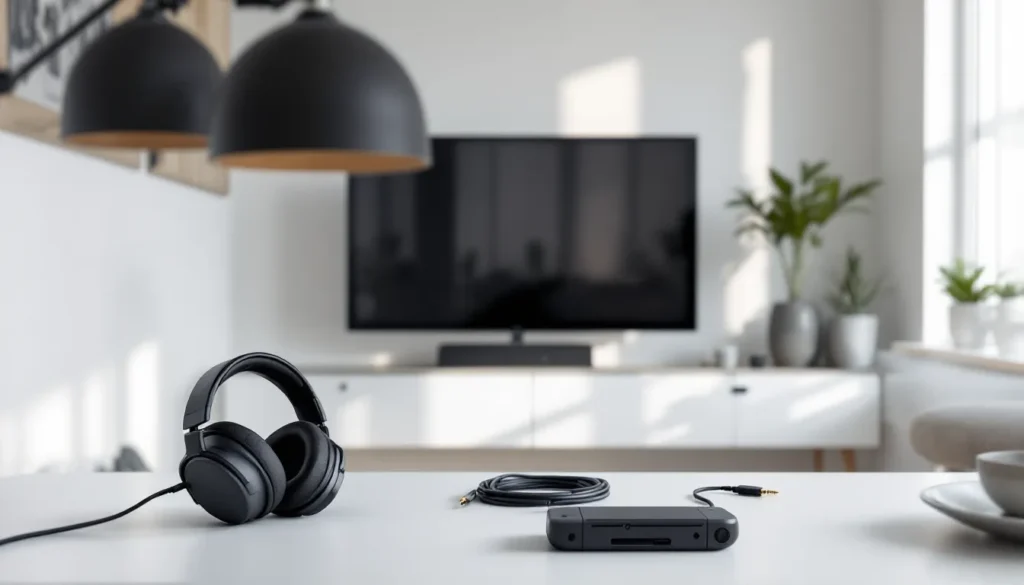
Wired headsets remain the most reliable option for Switch gaming. A 3.5mm wired connection works in both handheld and docked modes (via the controller), delivers zero latency, never needs charging, and supports full mic functionality. The downside? Cable management when transitioning between modes and that inevitable moment when you forget you’re tethered and yank the jack out mid-game.
USB-C wired headsets connect directly to the Switch in handheld mode or through the dock. They can draw power from the console, which means they sometimes support features like active noise cancellation or RGB lighting (though RGB on a handheld is questionable). Audio quality through USB-C tends to be slightly better than 3.5mm because it bypasses the analog conversion, but the difference is subtle unless you’re an audiophile.
Wireless dongle solutions offer the best of both worlds for Switch. You plug a USB-A dongle into the dock (or use a USB-C adapter for handheld), and you get low-latency wireless audio with mic support. Some premium headsets include a dock/handheld dongle that switches modes automatically. The battery life concern is real, though, most wireless gaming headsets last 15-30 hours, which sounds great until you forget to charge it before a long gaming session.
Key Features to Look for in a Switch Headset with Mic
Microphone Quality and Noise Cancellation
Not all mics are created equal, and your squad will let you know if yours sounds like a drive-thru speaker. For Switch gaming, you want either a detachable boom mic or a flip-to-mute design. Built-in mics on earbuds pick up too much ambient noise and position poorly for clear voice capture.
Look for headsets with uni-directional or cardioid pickup patterns. These focus on your voice while rejecting background noise, critical if you’re playing in a busy household or public space. Some mid-range and premium headsets include active noise cancellation for the mic itself, using digital signal processing to filter out keyboard clicks, controller rumble, and environmental sounds.
Frequency response matters less than you’d think for gaming comms. Most voice chat compresses audio to 8-16kHz anyway, so a mic that handles the 100Hz-10kHz range clearly is more than sufficient. What you really want is consistent volume and minimal distortion. Testing reviews on reputable sites like rtings.com often include mic quality samples that reveal how a headset performs in real-world conditions.
Physical mute controls beat software-only solutions every time. A hardware mute switch on the headset or cable means you can instantly cut your mic without fumbling through menus, essential when someone walks into your room mid-match or your dog decides to lose it at the doorbell.
Comfort for Portable and Docked Play
The Switch’s hybrid nature demands headsets that work well in multiple contexts. In handheld mode, you’re probably holding the console for extended sessions, heavy, clamping headsets will fatigue you faster. Look for headsets under 300 grams with memory foam ear cushions and adjustable headbands.
Ear cup depth matters more than most realize. Shallow cups press your ears against the drivers, causing discomfort after 30-60 minutes. Deeper cups create space around your ears, distributing pressure on the cushion perimeter instead. This is especially important for glasses wearers, poorly designed cushions will press your frames into your skull.
For docked play, you’ve got more flexibility since the headset doesn’t add to what you’re holding. But cable length becomes a factor. If you’re gaming from a couch 6-8 feet from your TV, a standard 4-foot cable won’t reach when the headset is plugged into your Pro Controller. Either go wireless or look for headsets with detachable cables that you can swap for longer ones.
Breathability prevents the dreaded sweaty-ear situation during marathon sessions. Mesh or velour ear cushions breathe better than leatherette, though they tend to wear out faster. Some headsets ship with multiple cushion options, letting you choose between premium feel and long-term comfort based on your environment and play style.
Battery Life Considerations for Wireless Models
Wireless headset battery specs look impressive on paper, 20, 30, even 50 hours, but real-world performance varies. Those numbers assume moderate volume with certain features disabled. Crank the volume, enable RGB lighting, or use active noise cancellation, and you might see half the advertised runtime.
For Switch gaming, aim for at least 15-20 hours of real-world battery life. That’s enough for a full week of 2-3 hour sessions without charging anxiety. Premium models like the SteelSeries Arctis Nova Pro Wireless include hot-swappable batteries, genius design that eliminates downtime entirely.
Charging methods matter more than you’d expect. USB-C charging means you can use the same cable as your Switch, Pro Controller, and phone. Proprietary charging cables are annoying but manageable. What’s unforgivable is slow charging, if a headset takes 4+ hours to fully charge, you’ll constantly be caught with a dead battery.
Quick-charge features salvage bad planning. Some headsets deliver 3-5 hours of playtime from a 15-minute charge, which is clutch when you forgot to plug in overnight. Wireless models should also function while charging, so you can go wired if the battery dies mid-session. Always check reviews to confirm this, some headsets inexplicably don’t allow simultaneous charging and use.
Best Connection Types for Switch Headsets
3.5mm Wired Headsets: Universal Compatibility
The humble 3.5mm jack remains the most versatile connection for Switch gaming. Every headset with a standard TRRS (tip-ring-ring-sleeve) cable works immediately, no pairing, no dongles, no compatibility concerns. Plug into the Switch’s headphone jack in handheld mode or into your Pro Controller when docked.
Audio quality through the 3.5mm connection is solid, though not audiophile-grade. The Switch’s internal DAC (digital-to-analog converter) is competent but not exceptional. You’ll get clear stereo separation and decent bass response, enough for competitive gaming and immersive single-player experiences. If you’re coming from a dedicated gaming setup with amp-powered headphones, you might notice the Switch sounds slightly flatter.
The main advantage of wired connections is zero latency. Your inputs and audio are perfectly synced, which matters in rhythm games like Cadence of Hyrule or fast-paced shooters where audio cues dictate reaction time. Wireless introduces at least 20-30ms lag even with premium dongles, and Bluetooth can push that to 150ms+.
Cable quality varies wildly. Cheap cables tangle easily and develop connection issues where the cable meets the plug. Look for reinforced stress points and braided cables if durability matters. Many gaming headsets include detachable cables with inline controls, volume wheels and mute switches built into the cable itself, perfect for quick adjustments without reaching up to the headset.
USB-C Headsets for Docked Mode
USB-C headsets connect directly to the Switch in handheld mode or through the dock’s USB ports. They bypass the analog audio path entirely, using the headset’s built-in DAC instead of the Switch’s. This can improve audio quality, especially with headsets that support higher bit depths and sample rates, though the Switch’s audio output is capped at 16-bit/48kHz anyway.
The real benefit of USB-C is power delivery. Headsets can draw power from the console to enable features like active EQ, virtual surround sound processing, or RGB lighting. Some models include physical volume controls powered by the USB connection, giving you more granular adjustment than the Switch’s system volume.
Compatibility isn’t guaranteed, though. The Switch doesn’t support every USB audio device, some headsets register but don’t output sound, while others work in docked mode but fail in handheld. Always verify Switch compatibility specifically: just because a headset works on PC or PS5 doesn’t mean it’ll work on Switch.
USB-C headsets shine when you regularly switch between Switch and other devices. If you also play on PC or Steam Deck, a single USB-C headset eliminates the need for multiple peripherals. Just unplug and move it between devices. Brands like HyperX and Razer make USB-C headsets explicitly marketed for multi-platform use, including Switch compatibility verified by major tech publications.
Wireless Dongles and Adapters
Wireless dongles deliver the best experience for Switch gaming if you want freedom of movement without Bluetooth’s limitations. These 2.4GHz RF dongles plug into the dock’s USB port (or into a USB-C adapter for handheld) and pair with the headset, creating a direct wireless connection with minimal latency, typically 20-40ms, imperceptible for most players.
The advantages stack up: full mic support, simultaneous audio and controller connectivity, better range (usually 30-40 feet), and superior audio quality compared to Bluetooth. Many wireless gaming headsets include Switch-specific dongles or adapters in the box. Models like the SteelSeries Arctis 7+ and Turtle Beach Stealth 700 Gen 2 are designed with Switch compatibility in mind.
Portable play with dongles requires a USB-C adapter, which adds bulk but isn’t terrible. Some players leave a dongle in the dock and use wired for handheld, switching based on context. Premium headsets sometimes include dual dongles or a single dongle that works across both modes without needing adapters.
The downside? Dongles are easy to lose. They’re small, often wireless-only (meaning the headset won’t work wired as a backup), and if you misplace it, you’re stuck buying a replacement, assuming the manufacturer even sells them separately. Keep the dongle in a dedicated spot when not in use, or consider headsets that include a storage slot in the ear cup for the dongle.
Top Nintendo Switch Headsets with Mic for Different Budgets
Budget-Friendly Options Under $50
You don’t need to drop a hundred bucks for a functional Switch headset. The HyperX Cloud Stinger Core (usually around $30-40) offers surprising value: lightweight design, decent sound quality, and a flip-to-mute mic that actually works. It’s wired 3.5mm, so compatibility is universal, and the on-ear cushions are comfortable enough for 2-3 hour sessions.
Another solid budget pick is the Turtle Beach Recon 70. At roughly $40, it delivers good bass response for a budget headset and a surprisingly clear mic. The ear cushions are synthetic leather and can get warm, but build quality is better than you’d expect at this price point. It’s a safe choice if you’re primarily playing in handheld mode and don’t want to invest heavily.
For true budget warriors, the PowerA Fusion Wired Gaming Headset sits around $25-30. It’s officially licensed by Nintendo, which means guaranteed compatibility but also means the design screams “toy” with bright colors and plastic build. Still, it works, includes a mic, and won’t expensive. Just don’t expect premium comfort or audio fidelity.
What you sacrifice at this tier: build quality, premium materials, virtual surround, and wireless connectivity. But if you’re casual about voice chat or just need something functional for those battle royale sessions, budget headsets deliver the essentials without demanding rent money.
Mid-Range Headsets ($50-$100)
The mid-range tier is where value peaks for most Switch players. The SteelSeries Arctis Nova 3 (around $80-90) hits hard with excellent audio quality, a retractable bidirectional mic, and surprising comfort for extended wear. It’s wired with a 3.5mm connection and includes a USB-C adapter for devices that support it. The audio profile is balanced, not bass-heavy like gaming headsets often are, which makes it great for both competitive play and single-player adventures.
Razer’s Kaira for PlayStation works perfectly on Switch even though the branding (around $80). It uses a wireless dongle with USB-C and USB-A adapters included, so it transitions seamlessly between docked and handheld. Battery life clocks in at 15-20 hours real-world use, and the mic quality is among the best in this range. The Kaira also supports Bluetooth simultaneously, letting you mix Switch audio with phone calls or Discord on mobile.
For players who bounce between Switch and other platforms, the HyperX Cloud Alpha Wireless occasionally drops to $90-100 on sale (normally $150+). If you can snag it at that price, do it. You get 300-hour battery life (not a typo), dual-chamber drivers for cleaner separation, and a detachable boom mic with good noise rejection. It uses a USB dongle, so you’ll need the USB-C adapter for handheld, but the convenience of rarely charging is unmatched.
The Logitech G435 (around $60-70) deserves mention as a lightweight wireless option. At just 165 grams, it’s one of the lightest gaming headsets available. It uses both 2.4GHz dongle and Bluetooth, includes a beamforming mic array, and delivers about 18 hours of battery life. Build quality feels plasticky, but the comfort-to-weight ratio makes it ideal for long handheld sessions where heavier headsets cause neck strain.
Premium Gaming Headsets Over $100
When you’re ready to treat yourself, premium headsets deliver features and build quality that justify the price, if you use them enough. The SteelSeries Arctis Nova Pro Wireless ($250-300) is the flagship for a reason: hot-swappable batteries mean infinite playtime, active noise cancellation blocks distractions, and the included DAC dongle offers extensive EQ customization. It’s overkill for Switch-only gaming, but if you also play on PC or PS5, it’s a one-headset solution that excels everywhere.
The Audeze Penrose ($300) is an audiophile-grade option with planar magnetic drivers that produce shockingly good sound for a wireless gaming headset. It supports simultaneous Bluetooth and 2.4GHz dongle connection, perfect for mixing Switch audio with Discord on your phone. Battery life sits around 15 hours, and it’s heavier than most gaming headsets (320g), but the audio clarity makes everything from Metroid Dread to Mario Kart 8 sound richer.
For wireless versatility, the Astro A50 Wireless (around $300) includes a charging dock that makes battery management effortless. The audio quality is excellent, the mic is broadcast-quality, and build quality is tank-like. It uses a wireless base station that connects via USB, so you’ll need a USB-C adapter for handheld, less convenient than a small dongle, but the base station doubles as a display stand.
Honestly, unless you’re also using the headset for PC gaming or content creation, spending $200+ for Switch-only gaming is hard to justify. The Switch’s audio capabilities cap at stereo, so features like true surround processing and hi-res audio certification offer minimal benefit. But if you want the absolute best comfort, build quality, and flexibility, these premium options deliver.
Setting Up Your Headset with Nintendo Switch
Connecting in Handheld Mode
Handheld mode is the simplest connection scenario. If you’re using a 3.5mm wired headset, just plug it into the headphone jack on top of the Switch. Audio routes through the headset automatically, and the built-in speakers mute. If your headset includes a TRRS plug (four contact points instead of three), the mic will work in games that support it.
USB-C headsets plug directly into the Switch’s charging port. The system recognizes most USB audio devices instantly, though some require you to enable them in system settings. Navigate to System Settings > System > Audio Output and confirm the headset is selected. If audio doesn’t route automatically, try unplugging and reconnecting, USB-C can be finicky.
For wireless dongles in handheld mode, you’ll need a USB-C adapter since most dongles are USB-A. The 8BitDo Wireless USB Adapter or generic USB-C to USB-A adapters work fine and cost under $15. Plug the adapter into the Switch’s charging port, insert the dongle, and power on your headset. They should pair automatically if previously synced. Note that using the USB-C port for a dongle means you can’t charge simultaneously unless you use a USB-C hub with pass-through charging.
Bluetooth pairing (for audio-only, since mics don’t work) requires system firmware 13.0.0 or later. Go to System Settings > Bluetooth Audio > Pair Device, put your headphones in pairing mode, and select them from the list. Remember, Bluetooth audio disables during local multiplayer and doesn’t support mic input.
Connecting in Docked Mode
Docked mode offers more connection options. For 3.5mm wired headsets, plug into your Pro Controller’s headphone jack or directly into the Switch’s jack if you’re using Joy-Cons in the grip. Audio routes through whichever device you’re using for input, if you’re playing with Joy-Cons wirelessly, you’ll need to plug into the Switch itself (which is awkward if the dock blocks access).
USB-C headsets won’t work directly in docked mode since the dock uses the USB-C port for power and video. Instead, plug the headset’s USB cable into one of the dock’s USB-A ports, assuming your headset includes a USB-A to USB-C adapter or cable. Not all USB-C headsets support USB-A connection, so verify compatibility before assuming it’ll work.
Wireless dongles shine in docked mode. Plug the dongle into any USB port on the dock (there are three: two on the side, one inside by the USB-C connector). The Switch recognizes it as an audio output device, and you’re good to go. Some players keep a dedicated dongle permanently in their dock and another adapter setup for handheld, avoiding the hassle of constantly moving it between modes.
Multiple audio output simultaneously isn’t supported, pick headset or TV speakers, not both. If you want to share audio with someone else while you use a headset, you’ll need a 3.5mm splitter cable. Plug the splitter into the Switch or Pro Controller, then connect both your headset and a second headset or speakers to the splitter.
Using the Nintendo Switch Online App
Nintendo’s mobile app is required for voice chat in first-party games like Splatoon 3 and Mario Kart 8 Deluxe. It’s clunky, but here’s how to make it work. Download the Nintendo Switch Online app (iOS/Android), log in with your Nintendo account, and launch the game that supports voice chat on your Switch. The app should detect the active game session and display a “Game-Specific Services” option.
Tap to join voice chat, and the app uses your phone’s mic and speaker by default, terrible for gaming. To use a headset, you need either a headset that supports dual device connection (rare and expensive) or a mixer cable. The Nintendo Switch Headset Audio Mixer cable was sold separately and splits audio from the Switch and phone, combining it into one headset. Hori also makes a version.
Alternatively, use wireless earbuds with low latency connected to your phone for voice chat while a separate headset handles Switch game audio. It’s awkward, but some players prefer this over mixer cables. You end up wearing both, which looks ridiculous but works in a pinch.
Frankly, if you’re serious about voice chat and mostly play third-party games, skip Nintendo’s ecosystem entirely. Games like Fortnite and Apex Legends support native in-game chat through any connected headset mic, no app, no workarounds, no mixing cables. Just plug in and talk.
Troubleshooting Common Headset Issues on Switch
Mic Not Working or Being Detected
If your mic isn’t working, first verify the game actually supports headset voice chat. Many Nintendo first-party games require the mobile app, while third-party titles usually support direct mic input. Check the game’s settings menu for voice chat options, if there’s no in-game menu for it, you’ll need the Nintendo Switch Online app.
Confirm your headset uses a TRRS 3.5mm plug (four contact rings) and not a TRS plug (three rings). TRS plugs only carry stereo audio, not mic input. Smartphone headsets and gaming headsets typically use TRRS, but some older audio-only headphones use TRS. If you can see four distinct metal sections on the plug, you’re good.
For USB-C or USB-A connected headsets, check system settings. Navigate to System Settings > System > Audio Output and ensure the correct device is selected. Some headsets require you to manually enable mic permissions or toggle input devices in-game. If the headset works for audio but not mic, it may not be fully Switch-compatible, check manufacturer specs.
Wireless dongle mics occasionally desync. Power cycle both the headset and Switch completely (not just sleep mode). Re-pair the headset to the dongle according to manufacturer instructions, usually holding a specific button combination for 3-5 seconds. If problems persist, try the dongle in a different USB port or use a powered USB hub to ensure adequate power delivery.
Still broken? Test the headset on another device, PC, phone, or another console. If the mic works elsewhere, the issue is Switch-specific and might require a different headset. If the mic fails on all devices, the hardware is likely defective, and you should contact the manufacturer for warranty support.
Audio Quality Problems
Crackling or static in audio usually indicates a poor connection. For 3.5mm wired headsets, inspect the plug for debris or corrosion, clean gently with isopropyl alcohol on a cotton swab. Try wiggling the plug while audio plays: if sound cuts in and out, the jack or cable is damaged. Test different headsets in the same port to isolate whether the issue is the Switch or the headset.
If audio is too quiet, check both the Switch’s system volume (hold the volume buttons to verify) and any inline controls on the headset cable. Some headsets have separate volume wheels that may have been accidentally turned down. For USB and wireless headsets, check if there’s dedicated software or companion apps that control volume independently of system settings.
Audio cutting out intermittently on wireless headsets signals either low battery, interference, or range issues. Charge the headset fully and test again. 2.4GHz wireless dongles can experience interference from routers, microwaves, or other wireless devices, try moving the dock to a different location or using a USB extension cable to position the dongle closer to where you sit.
Bluetooth latency creating audio delay (especially noticeable in rhythm games or action titles) is inherent to the Switch’s Bluetooth implementation. There’s no fix, Bluetooth on Switch just has high latency (100-200ms). Switch to a wired connection or 2.4GHz wireless dongle for time-sensitive games. For laid-back games like Animal Crossing, the latency is usually acceptable.
Imbalanced audio (one ear louder than the other) might be an accessibility setting. Check System Settings > System > Audio and ensure balance isn’t shifted left or right. Also verify in-game audio settings, some games have separate balance controls. If audio is imbalanced on multiple devices, the headset drivers are damaged and need replacement.
Maximizing Your Switch Gaming Audio Experience
Best Games for Voice Chat Communication
Not all Switch games treat voice chat equally. Competitive multiplayer titles like Fortnite, Apex Legends, and Overwatch 2 support native in-game voice chat with headset mics, no app required. Squad-based coordination in these games is essential, making a quality mic non-negotiable if you play ranked modes.
Splatoon 3 technically supports voice chat, but only through the Nintendo Switch Online app, which kills the experience. Most competitive Splatoon players use Discord on their phones instead, either with mixer cables or by running Discord in the background while playing. The competitive community has essentially abandoned Nintendo’s official solution.
Co-op games like Monster Hunter Rise and Warframe support headset voice chat natively, though many players still prefer Discord for better audio quality and features. If you regularly play with the same squad, setting up external voice chat on phone or PC while gaming on Switch often delivers better results than in-game solutions.
For single-player games, voice chat is irrelevant, but audio quality matters. The Legend of Zelda: Tears of the Kingdom, Metroid Dread, and Bayonetta 3 have excellent sound design that shines with a decent headset. Environmental audio cues, directional sound, and music layers all benefit from proper stereo separation that the Switch’s built-in speakers can’t deliver.
Some players mix uses, headset for competitive multiplayer, Switch’s speakers for casual single-player. If that’s your style, prioritize headsets with easy-access mute controls and quick plug/unplug for seamless transitions. Wireless headsets with instant on/off make switching contexts effortless, though you’ll pay a premium for that convenience.
Maintaining Your Headset for Longevity
Gaming headsets take abuse. Proper maintenance extends their lifespan significantly. Start with basic hygiene: clean ear cushions regularly with a slightly damp cloth. Sweat and oils degrade foam and leatherette over time, causing them to crack and peel. Some manufacturers sell replacement cushions, consider buying a spare set if you play daily.
Cable management prevents the most common failure point. Don’t wrap cables tightly around controllers or headsets, it stresses the wires internally and causes breaks. Use loose loops secured with velcro ties or cable clips instead. For detachable cables, disconnect before storing the headset and keep cables in a separate pouch.
For wireless headsets, battery health matters. Lithium-ion batteries degrade with charge cycles, losing capacity over time. To maximize longevity, avoid letting the battery fully drain regularly, charge when it hits 20-30% instead of running to zero. Don’t leave it plugged in 24/7 either: once fully charged, unplug it. Most modern headsets manage charging intelligently, but heat still degrades batteries, so store in cool, dry places.
Headband adjustments often become loose over time. Many headsets use ratcheting systems that can collect dust and hair, causing them to slip during use. Periodically clean the adjustment mechanism with compressed air and verify the headband maintains position under normal use. If it constantly needs readjustment, tighten any visible screws (if accessible) or contact support.
Store headsets properly when not in use. Don’t toss them on the floor, drape them over monitor edges, or leave them where the cord can be stepped on. A simple desk hook or headset stand keeps them accessible without physical stress. Premium headsets often include carrying cases, use them if you travel with your Switch frequently. Many hardware issues can be avoided with basic care and storage practices.
Conclusion
Finding the right headset for your Switch comes down to understanding how you actually play. If you’re docked 90% of the time, wireless dongles offer the best balance of convenience and audio quality. Handheld-focused players often prefer lightweight wired options that don’t add bulk or require charging. And if you bounce between both modes constantly, flexible mid-range headsets with multiple connection options deliver the versatility you need.
Don’t overthink the gear. A $60 headset with solid mic quality and comfortable cushions will serve most players better than a $300 flagship loaded with features the Switch can’t even use. Match your budget to your actual needs, verify Switch compatibility before buying, and you’ll be set.
The Switch’s audio ecosystem is frustrating, but it’s manageable once you know the workarounds. Whether you’re coordinating pushes in Fortnite, exploring Hyrule, or just trying to hear footsteps in competitive matches, the right headset transforms the experience. Now you’ve got the knowledge, go find the setup that works for you and get back to gaming.