Table of Contents
ToggleBuying a Nintendo Switch for a kid, or wondering if you’re too old for one yourself? You’re not alone. The Switch sits in a weird sweet spot in the console market: it’s got Mario and Animal Crossing, but also Doom Eternal and The Witcher 3. That range makes figuring out the right age a bit trickier than just checking the box.
Nintendo doesn’t slap a hard age limit on the Switch, but there are official guidelines, practical considerations, and a whole lot of nuance depending on which games you’re playing. Whether you’re a parent trying to decide if your five-year-old is ready for their first console or a teen wondering if the Switch still holds up against a PS5, this guide breaks down exactly what you need to know about the Nintendo Switch age range in 2026.
Key Takeaways
- Nintendo Switch is officially recommended for ages 6 and up, though younger children can use it with appropriate games and parental supervision focused on motor skill development.
- The Nintendo Switch age range flexibility allows kids as young as 3-6 to enjoy titles like Kirby and Animal Crossing, while teens and adults can access mature games like Doom Eternal and The Witcher 3.
- Parental controls on the Switch are highly effective, allowing parents to restrict content by ESRB rating, disable eShop purchases, limit screen time, and monitor monthly activity reports.
- The Switch’s local multiplayer capabilities and lower price point ($199-$349) make it an ideal first console for families with children aged 7-12, offering better value than PlayStation or Xbox.
- Free-to-play games like Fortnite and Apex Legends can expose players to unmoderated online interactions and in-game purchases, requiring individual review of communication settings regardless of Nintendo’s safety restrictions.
- Screen time management is most effective when combined with clear family rules and open communication rather than relying solely on built-in time limits and parental controls.
What Is the Official Recommended Age for Nintendo Switch?
Understanding Nintendo’s Age Guidelines
Nintendo officially recommends the Switch for players aged 6 and up. That’s the number you’ll find in the fine print and on most regional product pages. But it’s not a hard rule, more of a baseline.
The reasoning? The Joy-Con controllers and touchscreen interface require a certain level of fine motor control and hand-eye coordination. Kids under six can absolutely use a Switch, but they might struggle with smaller buttons, precise joystick movements, or reading on-screen text. Nintendo’s guideline is less about cognitive ability and more about ergonomics and usability.
It’s also worth noting that the 6+ recommendation applies to the hardware itself, not the games. Game content is regulated separately by rating systems like the ESRB (Entertainment Software Rating Board) in North America, PEGI in Europe, and CERO in Japan. A six-year-old can physically use the Switch, but that doesn’t mean they should be playing M-rated titles.
Why Age Recommendations Matter for Gaming Consoles
Age guidelines aren’t just legal boilerplate, they’re rooted in developmental milestones and safety considerations. For younger kids, the physical design of a console matters. The Switch’s detachable Joy-Cons, while innovative, include small parts and components that pose choking hazards for toddlers under three.
Beyond safety, there’s the question of skill progression. A console that’s too advanced can frustrate a young player and kill their interest in gaming altogether. On the flip side, older gamers need hardware that can keep up with faster reflexes, more complex gameplay, and competitive online modes.
Age recommendations also help parents set realistic expectations around screen time, content exposure, and online interactions. The Switch’s parental controls are robust, but they’re only effective if you understand what your kid is developmentally ready to handle.
Is Nintendo Switch Suitable for Young Children (Ages 3-6)?
Motor Skills and Physical Readiness
Kids in the 3-6 range can absolutely play on a Switch, but expect a learning curve. The Joy-Cons are smaller than traditional controllers, which can actually be a plus for tiny hands, but the buttons require decent finger dexterity. Analog sticks, in particular, demand coordination that most three-year-olds haven’t fully developed yet.
Touchscreen functionality on the Switch helps bridge that gap. Games that lean heavily on tapping and swiping (like puzzle games or drawing apps) tend to work better for the youngest players. Handheld mode also gives them more direct control compared to docked play with a Pro Controller.
One thing to watch: the Joy-Con wrist straps. They’re designed to prevent the controllers from flying across the room during an overly enthusiastic session of Mario Kart, but younger kids often forget to use them. Reinforcing that habit early saves your TV (and your sanity).
Best Games for Preschool and Early Elementary Ages
Not all Switch games are created equal when it comes to young players. Here are some standouts for the 3-6 crowd:
- Kirby and the Forgotten Land: Forgiving difficulty, colorful visuals, and co-op mode where a parent can help.
- Pokémon: Let’s Go, Pikachu/Eevee: Simplified mechanics compared to mainline Pokémon games, plus motion controls for catching Pokémon.
- Super Mario Odyssey (Assist Mode): Assist mode adds arrows and prevents death from falling, making it accessible for younger kids.
- Animal Crossing: New Horizons: No fail states, lots of creative freedom, and a gentle pace. Just be prepared to help with reading until they’re fluent.
- Paw Patrol games: Licensed tie-ins that are genuinely decent for preschoolers, unlike a lot of shovelware.
Avoid anything with fast-paced combat, complex menus, or heavy reading requirements. Games like Breath of the Wild or Splatoon 3 are incredible, but they’ll just frustrate a five-year-old.
Parental Controls for Young Players
The Switch’s parental control app (available on iOS and Android) is legitimately one of the best in the industry. For young kids, you’ll want to lock down a few key areas:
- Restrict by ESRB rating: Set it to E for Everyone, and the system won’t launch anything rated higher.
- Disable eShop purchases: Unless you want a $300 surprise on your credit card statement.
- Limit screen time: Set daily play limits and bedtime alarms. The Switch will gently nag kids when time’s up.
- Turn off online communication: Most games for young kids don’t need online play anyway, and it eliminates stranger danger.
The app also sends you monthly reports showing exactly what your kid played and for how long. It’s not intrusive, but it gives you visibility without hovering.
Nintendo Switch for Elementary School Kids (Ages 7-12)
Cognitive Development and Gaming Skills
This is the Switch’s wheelhouse. Kids aged 7-12 have the motor skills, reading comprehension, and problem-solving ability to handle most of Nintendo’s first-party catalog. They’re old enough to grasp game mechanics, follow tutorials, and start developing actual gaming skills.
Spatial reasoning gets a major workout with 3D platformers like Mario Odyssey or exploration games like Zelda. Strategy games like Fire Emblem or Pokémon teach resource management and forward planning. Even something as simple as Mario Kart builds hand-eye coordination and teaches kids how to handle losing (which, let’s be honest, is a life skill).
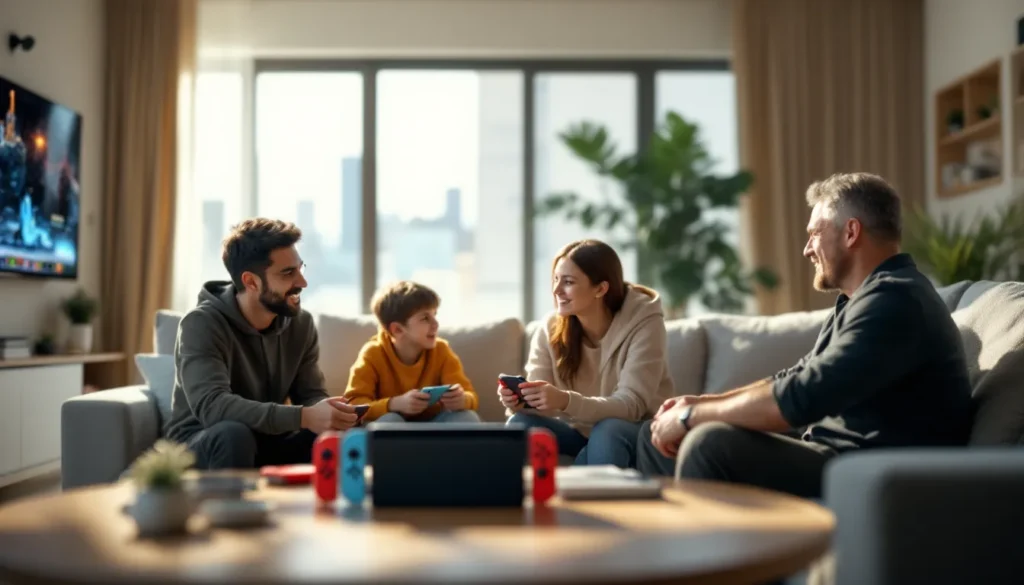
This age range is also where gaming starts to become social. Multiplayer games become a huge part of playdates and school culture. The Switch’s local wireless play is a massive advantage here, four kids can play Mario Kart without needing an internet connection or subscriptions.
Top Game Recommendations for This Age Group
The 7-12 demographic has the widest selection of age-appropriate Switch games. Here’s a breakdown by interest:
Platformers and Adventure:
- Super Mario Odyssey: Tight controls, imaginative worlds, and scalable difficulty.
- The Legend of Zelda: Breath of the Wild: Open-world exploration with minimal hand-holding. Great for kids who like to experiment.
- Sonic Frontiers: Fast-paced action for kids who find Mario too slow.
Multiplayer and Party Games:
- Mario Kart 8 Deluxe: The king of party games. Auto-accelerate and steering assist help younger or less skilled players compete.
- Super Smash Bros. Ultimate: Chaotic fun with a massive roster. Can get competitive, but items and stage hazards keep it accessible.
- Overcooked 2: Co-op cooking chaos that teaches teamwork (and sometimes causes sibling arguments).
Creative and Sandbox:
- Minecraft: The Switch version runs well and supports cross-play with other platforms. Peaceful mode is great for younger kids.
- Super Mario Maker 2: Lets kids design their own Mario levels. Encourages creativity and problem-solving.
Strategy and RPG-Lite:
- Pokémon Scarlet/Violet: The latest mainline entries with an open world and manageable complexity.
- Splatoon 3: Third-person shooter with paint instead of bullets. Colorful, fast, and surprisingly deep.
For players interested in faster-paced action, there are several age-appropriate shooters that avoid graphic violence while still delivering competitive gameplay.
Social and Multiplayer Considerations
The Switch’s online service, Nintendo Switch Online, is required for most multiplayer games. It’s $19.99/year for an individual plan or $34.99 for a family plan (up to eight accounts). Compared to PlayStation Plus or Xbox Game Pass, it’s cheaper but offers less, mainly classic NES and SNES games, plus cloud saves.
Online play for this age group comes with caveats. Games like Splatoon 3 and Mario Kart 8 Deluxe have online modes, but Nintendo’s approach to communication is extremely locked down. There’s no built-in voice chat in most games, and text chat is limited to pre-set phrases. That’s frustrating for teens, but it’s a safety feature parents of younger kids will appreciate.
Local multiplayer is where the Switch truly shines. Most first-party games support 2-4 players on a single system, and many support local wireless for up to eight players with multiple Switches. It’s old-school LAN party vibes, and kids love it.
Nintendo Switch for Teens and Adults (Ages 13+)
Mature Content and Game Rating Systems
Once you hit the teen demographic, the Switch’s library opens up significantly. T-rated (Teen) and M-rated (Mature) games bring darker themes, violence, strong language, and more complex narratives. The ESRB rating system breaks down like this:
- E (Everyone): No objectionable content. Think Mario, Kirby, Animal Crossing.
- E10+ (Everyone 10+): Mild violence or suggestive themes. Splatoon, Pokémon, some RPGs.
- T (Teen 13+): Moderate violence, blood, crude humor, or mild language. Fortnite, Apex Legends, Fire Emblem.
- M (Mature 17+): Intense violence, blood and gore, sexual content, or strong language. Doom Eternal, The Witcher 3, Bayonetta.
ESRB ratings aren’t legally enforceable in the U.S., but most retailers won’t sell M-rated games to minors without parental approval. Digitally, parental controls can block by rating, so a 14-year-old can’t buy an M-rated game without a parent entering a PIN.
It’s also worth noting that ratings vary by region. A game rated T in North America might be PEGI 16 in Europe. If you’re importing games or buying from the eShop in another region (which is possible on Switch), double-check the content.
Popular Titles for Older Gamers
Teens and adults have access to the full Switch catalog, including some legitimately great ports of games that debuted on more powerful hardware. Many players in this demographic appreciate reading detailed game coverage and reviews before making purchasing decisions.
Action and FPS:
- Doom Eternal: Fast, brutal, and surprisingly well-optimized for Switch hardware.
- Wolfenstein II: Story-driven FPS with solid performance in handheld mode.
- Apex Legends: Free-to-play battle royale with crossplay. Runs at 30fps, which is a dealbreaker for some competitive players.
RPGs and Story-Driven Games:
- The Witcher 3: A technical miracle on the Switch. Graphically downgraded, but the full experience is intact.
- Fire Emblem: Three Houses: Deep strategy RPG with relationship mechanics and branching storylines.
- Xenoblade Chronicles 3: Massive JRPG with real-time combat and hundreds of hours of content.
Indie and Experimental:
- Hades: Roguelike with tight combat and a compelling story. Runs flawlessly on Switch.
- Hollow Knight: Challenging metroidvania with gorgeous hand-drawn art.
- Stardew Valley: Farming sim that’s deceptively deep and endlessly replayable.
The Switch’s portability is a massive selling point for adults. Being able to dock for big-screen play, then undock and continue on the couch or during a commute, is something PlayStation and Xbox still can’t match.
Nintendo Switch vs. Other Consoles: Age Comparison
How Switch Compares to PlayStation and Xbox
The Switch, PlayStation 5, and Xbox Series X/S target different demographics, and that’s reflected in their game libraries and design philosophies.
Nintendo Switch:
- Primary audience: Kids, families, and Nintendo fans.
- Strengths: First-party exclusives (Mario, Zelda, Pokémon), portability, local multiplayer.
- Weaknesses: Underpowered hardware, limited third-party AAA support, no achievements/trophies.
- Ideal age range: 6+ for casual and family gaming.
PlayStation 5:
- Primary audience: Teens and adults.
- Strengths: Cutting-edge graphics, exclusive story-driven games (God of War, The Last of Us, Spider-Man), robust online ecosystem.
- Weaknesses: Expensive, no portability, limited kid-friendly exclusives.
- Ideal age range: 13+ for serious gamers.
Xbox Series X/S:
- Primary audience: Teens, adults, and Game Pass subscribers.
- Strengths: Best value with Game Pass, backward compatibility, powerful hardware.
- Weaknesses: Few exclusive franchises, less emphasis on single-player narratives.
- Ideal age range: 13+ for competitive and multiplayer-focused gamers.
For families with kids of varying ages, the Switch is often the first console, with a PlayStation or Xbox added later for older kids. The Switch’s lower price point ($299 for the standard model, $199 for the Lite) makes it a less risky investment for parents unsure if their kid will stick with gaming. For deeper comparisons of gaming hardware, enthusiasts often check comprehensive tech reviews before deciding which console fits their needs.
Mobile Gaming vs. Console Gaming for Different Ages
Mobile gaming (smartphones and tablets) is the default for many kids under 10, but there are significant differences in experience and value.
Mobile Gaming Pros:
- Device most kids already have access to.
- Tons of free or cheap games.
- Touchscreen controls are intuitive for very young players.
Mobile Gaming Cons:
- Predatory monetization (loot boxes, pay-to-win mechanics, constant ads).
- Lower-quality games dominate the market.
- Harder to enforce screen time limits and content restrictions.
- No physical controls: less skill development.
Switch Gaming Pros:
- Curated library with less shovelware (though the eShop has its share).
- Physical controls build coordination and gaming skills.
- One-time purchases for most games: less predatory monetization.
- Better parental controls and content filtering.
Switch Gaming Cons:
- Higher upfront cost (console + games).
- Less portable than a phone (though more portable than other consoles).
For kids under 7, mobile gaming might be sufficient. But once they’re ready for deeper, more engaging experiences, the Switch offers significantly better value and a healthier gaming environment.
Safety Features and Parental Controls by Age
Setting Up Age-Appropriate Restrictions
The Nintendo Switch Parental Controls app is free and takes about five minutes to set up. Here’s how to tailor it by age group:
Ages 3-6:
- Restrict to E-rated games only.
- Disable eShop and news.
- Turn off all online features (communication, multiplayer, posting screenshots).
- Set a daily play limit (30-60 minutes is a common starting point).
Ages 7-12:
- Restrict to E and E10+ games.
- Allow eShop browsing but disable purchases without a PIN.
- Enable online play for specific games (Mario Kart, Splatoon) but disable voice chat and friend requests from strangers.
- Set play limits based on school/activity schedules (1-2 hours on weekdays, more on weekends).
Ages 13+:
- Allow T-rated games: review M-rated requests on a case-by-case basis.
- Enable eShop purchases with spending limits.
- Allow full online features but monitor friend lists periodically.
- Shift from hard time limits to agreements around assignments and responsibilities.
The app also lets you suspend gameplay remotely, which is useful if dinner’s ready and your kid is “in the middle of a match” for the third time.
Managing Screen Time and Online Interactions
Screen time is the eternal parenting debate, but the Switch’s controls make enforcement easier. You can set daily limits (30 minutes, 1 hour, 3 hours, etc.) and the system will warn players when time’s almost up. When the limit hits, the game will pause and prompt them to quit.
You can also set a bedtime alarm (like “no play after 8 PM”), though kids can bypass it by entering a PIN, so it’s more of a reminder than a hard lock.
For online interactions, Nintendo’s ecosystem is one of the safest in the industry, partly because it’s so restricted. There’s no system-level party chat or messaging. Friend codes (12-digit alphanumeric strings) make it harder for strangers to add your kid randomly. Games with online play typically limit communication to pre-set phrases or disable it entirely.
That said, some games (like Fortnite) use their own friend systems and can bypass Nintendo’s restrictions. If your kid is playing cross-platform titles, review each game’s settings individually.
Monitoring Game Purchases and Downloads
The eShop is where things can get expensive fast. Nintendo’s digital storefront doesn’t require re-entering a password for each purchase by default, so kids can rack up charges quickly if payment info is saved.
Best practices:
- Don’t save credit card info on the console. Use eShop gift cards instead.
- Require a PIN for all purchases in the parental controls app.
- Review monthly play reports to see what your kid is downloading (free demos and DLC show up here).
- Set up a separate child account for your kid, not a full Nintendo Account. Child accounts have built-in purchase restrictions.
You can also restrict downloading free-to-play games, which often have in-game currencies and microtransactions. Fortnite, Rocket League, and Apex Legends are all free downloads, but they’ll happily sell your kid $20 worth of skins if you’re not paying attention.
Which Nintendo Switch Model Is Best for Different Ages?
Nintendo Switch vs. Switch Lite vs. Switch OLED
As of 2026, there are three Switch models on the market, each with different strengths depending on the player’s age and use case.
Nintendo Switch (Standard Model, 2019 revision):
- Price: $299.99
- Screen: 6.2-inch LCD (1280×720)
- Battery: 4.5-9 hours depending on the game
- Key features: Docks for TV play, detachable Joy-Cons, supports all games
- Best for: Families, players who want flexibility, anyone who values TV mode
Nintendo Switch Lite:
- Price: $199.99
- Screen: 5.5-inch LCD (1280×720)
- Battery: 3-7 hours
- Key features: Handheld-only, built-in controls (no detaching), lighter and more compact
- Best for: Younger kids (7+), solo players, secondary console for households, budget-conscious buyers
- Drawbacks: Can’t play docked, some games (like 1-2-Switch or Ring Fit Adventure) are incompatible
Nintendo Switch OLED:
- Price: $349.99
- Screen: 7-inch OLED (1280×720)
- Battery: 4.5-9 hours
- Key features: Larger, brighter screen with better colors, improved kickstand, enhanced audio, 64GB internal storage (vs. 32GB on other models)
- Best for: Teens and adults who play mostly in handheld mode, anyone who prioritizes screen quality
- Drawbacks: Most expensive, negligible performance difference from standard model
For kids aged 6-10, the Switch Lite is often the sweet spot. It’s cheaper (important if durability is a concern), lighter, and the integrated controls mean no lost Joy-Cons. The lack of TV play is less of an issue for younger kids who often prefer handheld anyway.
For families or kids 10+, the standard Switch is the better investment. TV mode is great for multiplayer, and the flexibility to switch (pun intended) between docked and handheld is a core part of the experience.
The OLED model is overkill for most kids under 12, but teens and adults who play a lot of visually impressive games (Breath of the Wild, Xenoblade, Metroid Dread) will appreciate the screen upgrade. Some players looking for technical details about the hardware often reference Nintendo-focused sites for in-depth comparisons and performance analyses.
Durability and Portability Considerations
Let’s be real: kids are hard on electronics. The Switch is reasonably durable, but it’s not indestructible.
Common failure points:
- Joy-Con drift: The analog sticks can develop input errors over time (drifting without being touched). This affects all models and is the Switch’s most notorious hardware flaw. Nintendo has extended repair policies in some regions, but it’s still annoying.
- Kickstand: The standard Switch’s kickstand is flimsy and breaks easily. The OLED’s wider kickstand is a massive improvement.
- Screen scratches: The dock can scratch the screen during insertion if you’re not careful. Tempered glass screen protectors are cheap and essential.
- Cracked screens: Dropping the console in handheld mode can crack the screen. A hard case helps, but it’s not foolproof.
For younger kids (under 10), consider:
- A hard shell carry case (around $15-20).
- Joy-Con grips or larger controller shells for easier handling.
- Tempered glass screen protector.
- Insurance or an extended warranty if available (though Nintendo’s warranty is only one year).
The Switch Lite is actually more durable in some ways, no detachable parts means fewer things to break or lose, but if the controls fail, you can’t just replace a Joy-Con. You’re looking at a full repair or replacement. Players concerned about longevity sometimes explore hardware teardowns to understand common points of failure and potential DIY fixes.
Common Concerns Parents Have About Nintendo Switch
Screen Time and Gaming Addiction
The “gaming addiction” conversation is everywhere, and it’s a legitimate concern, but context matters. The WHO recognizes gaming disorder as a real condition, but it’s characterized by impairment of daily functioning, not just “plays a lot of video games.”
Signs to actually worry about:
- Neglecting assignments, hygiene, or social activities for gaming.
- Lying about or hiding gaming time.
- Withdrawal symptoms (irritability, anxiety) when unable to play.
- Continued excessive play even though negative consequences.
The Switch’s built-in time limits and play reports are tools, not solutions. They work best when paired with clear, consistent rules and open communication. Setting specific play windows (like “after assignments” or “weekends only”) tends to work better than arbitrary daily limits.
It’s also worth noting that not all screen time is equal. A kid playing Mario Kart with siblings is engaging in social, strategic play. A kid mindlessly scrolling YouTube on an iPad is passive consumption. The Switch leans more toward active engagement, which is generally healthier.
Online Safety and Communication Features
Nintendo’s online ecosystem is locked down by default, which is both a blessing and a limitation. There’s no built-in voice chat, no messaging system, and friend codes prevent random adds. That makes the Switch one of the safest consoles for online play.
But, third-party games like Fortnite have their own systems. If your kid is playing cross-platform titles, they might be exposed to voice chat, text chat, and unmoderated interactions. Review each game’s settings individually and consider disabling or restricting communication features.
The Nintendo Switch Online app (separate from the parental controls app) enables voice chat for some games, but it requires a smartphone and manual setup. Most kids under 12 won’t bother, but it’s something to be aware of.
Red flags for online interactions:
- Strangers asking for personal information (real name, address, school).
- Requests to move communication off-platform (to Discord, Snapchat, etc.).
- Unsolicited friend requests or messages.
- Inappropriate language or behavior from other players.
Periodically review your kid’s friend list, and talk to them about what to do if someone makes them uncomfortable online (block, report, tell a parent).
Cost and In-Game Purchases
The Switch has a reputation for being expensive, and it’s partly deserved. First-party Nintendo games rarely drop in price, Mario Kart 8 Deluxe launched in 2017 and still sells for $59.99. That’s frustrating for bargain hunters but also means games hold their resale value.
Cost breakdown for a typical setup:
- Console: $199-$349 depending on model.
- Extra controller: $69.99 for a Pro Controller, $79.99 for a Joy-Con pair.
- Games: $40-$60 for new releases: $10-$30 for indies.
- Nintendo Switch Online: $19.99/year for individual, $34.99 for family.
- Accessories: $20-$50 for a case, screen protector, and SD card.
In-game purchases vary widely. Nintendo’s first-party titles rarely have microtransactions (Animal Crossing has a small paid DLC: Splatoon 3 has none). Third-party and free-to-play games are a different story. Fortnite, Rocket League, and similar games sell cosmetics, battle passes, and in-game currency.
If cost is a concern:
- Buy physical games and trade them in when finished.
- Watch for eShop sales (Black Friday, Cyber Monday, spring/summer sales).
- Use subscription management strategies to only pay for online play during months when your kid is actively using it.
- Set a monthly spending limit and stick to it.
- Check out the eShop’s “Great Deals” section for regular discounts on indie titles.
Conclusion
The Nintendo Switch doesn’t have a one-size-fits-all age range, and that’s actually one of its strengths. A five-year-old can play Kirby, a twelve-year-old can sink hundreds of hours into Pokémon, and a thirty-year-old can get lost in The Witcher 3, all on the same console.
Nintendo’s official guideline of 6+ is a solid baseline, but it’s not a hard rule. Younger kids can absolutely use the Switch with the right games and supervision. Older gamers have access to a surprisingly deep library that goes well beyond family-friendly fare. The key is matching the console, games, and controls to the player’s developmental stage and interests.
Parental controls are robust and easy to use, but they’re a tool, not a substitute for involvement. Know what your kid is playing, set clear expectations around screen time and online behavior, and adjust as they grow. The Switch can be a great first console, a family gaming hub, or a portable powerhouse for serious players, it just depends on how you use it.