Table of Contents
ToggleThe Nintendo Switch Lite hit shelves in September 2019 as Nintendo’s budget-friendly, handheld-only option for gamers who wanted access to the Switch library without paying full price for the hybrid dock functionality. Fast-forward to 2026, and the used market is flooded with Switch Lites from players upgrading to newer hardware or switching to the standard model for TV play.
For budget-conscious gamers, a used Switch Lite represents one of the best value propositions in handheld gaming. You’re getting access to Nintendo’s entire first-party lineup, Zelda, Mario, Pokémon, Animal Crossing, plus a massive library of indie titles, all in a compact form factor that costs significantly less than buying new. But the used market comes with risks: joystick drift, hidden damage, banned consoles, and sellers who don’t disclose critical issues.
This guide walks through everything a buyer needs to know in 2026 to score a solid used Switch Lite without getting burned. From physical inspections to pricing benchmarks, red flags to avoid, and where to shop, consider this the playbook for making a smart purchase.
Key Takeaways
- A used Nintendo Switch Lite offers significant savings of $50–$100 compared to retail price while providing access to Nintendo’s full first-party library and indie games in a portable handheld form.
- Joystick drift is the most common issue with used Switch Lites; always test both analog sticks using the system’s calibration tool before purchasing to catch this costly problem early.
- Fair pricing for a used Switch Lite in good condition ranges from $120–$160 depending on wear and included accessories, with special editions commanding $20–$30 premiums over standard colors.
- Inspect the screen for scratches and dead pixels, check charging ports and game card slots for damage, and test all buttons and controls methodically to ensure full functionality.
- Buy from platforms with buyer protection like eBay or Mercari, or choose certified refurbished units from Nintendo or Best Buy for peace of mind, though peer-to-peer sales typically offer lower prices.
- Always request proof that the console isn’t banned by testing eShop access and online connectivity, as banned Switch Lites lose access to multiplayer, cloud saves, and system updates.
What Is the Nintendo Switch Lite and Why Buy Used?
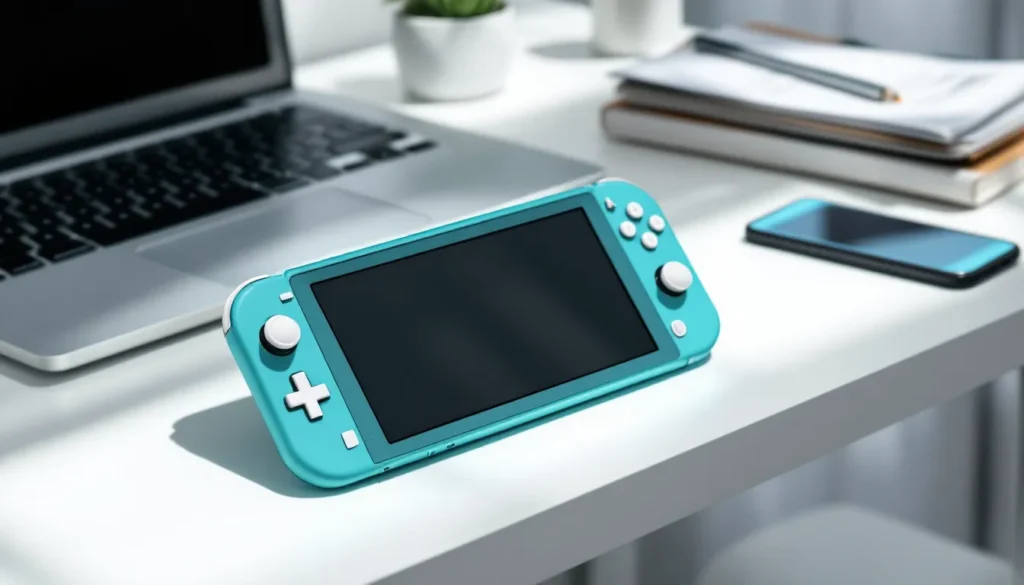
The Nintendo Switch Lite is Nintendo’s dedicated handheld console, designed exclusively for portable play. Released in 2019, it strips away the hybrid TV-docking functionality of the standard Switch in exchange for a smaller, lighter design and a lower price point. It’s a pure handheld experience, similar to the 3DS and Game Boy lines that defined Nintendo’s portable legacy.
Key Differences Between Switch Lite and Standard Switch Models
Understanding what you’re not getting with a Switch Lite is critical. The Lite features a 5.5-inch LCD touchscreen (versus the standard Switch’s 6.2-inch or OLED model’s 7-inch), and the controls are fully integrated into the body, no detachable Joy-Cons. That means no local multiplayer out of the box unless you buy separate controllers, and no motion controls for games that require gyro aiming or IR sensors.
The standard Switch can dock to a TV, supports tabletop mode, and has removable Joy-Cons for flexible play styles. The OLED model (launched in 2021) added a larger, richer screen and better kickstand. The Switch Lite sacrifices all of that for portability and cost.
Battery life on the Lite is solid, Nintendo rates it at 3 to 7 hours depending on the game, similar to the revised standard Switch models. Weight comes in at 0.61 pounds (277 grams), making it noticeably lighter than the 0.88-pound standard Switch. For gamers who play exclusively in handheld mode or commute frequently, the Lite is ideal.
The Lite launched in three colors, Yellow, Gray, and Turquoise, with special editions released over the years, including Pokémon Dialga & Palkia, Animal Crossing, and Hyrule-themed variants. These special editions sometimes fetch a premium on the used market.
Why the Used Market Makes Sense for Budget Gamers
A new Switch Lite retails for $199.99 in 2026, the same MSRP it launched with seven years ago. Nintendo rarely discounts hardware, so buying new offers little flexibility. The used market, but, opens up pricing between $100 and $160 depending on condition, seller motivation, and included accessories.
For gamers who just want to play Breath of the Wild, Pokémon Scarlet, or Hollow Knight without shelling out full retail, that $50-$100 savings is significant. Many used units come bundled with games, cases, or screen protectors, further increasing value. The Switch Lite also doesn’t suffer from the same level of wear-and-tear as the standard Switch’s detachable Joy-Cons, since the controls are permanently attached and built more robustly.
Buying used also makes sense for parents testing the waters with younger kids or for gamers who want a dedicated second console for travel. With the Switch 2 rumors heating up (though nothing confirmed as of early 2026), some sellers are offloading Lites at attractive prices to fund upgrades.
How to Evaluate a Used Nintendo Switch Lite Before Buying
Buying used means accepting some level of cosmetic wear, but functional issues are non-negotiable. A thorough evaluation separates a great deal from a money pit. Whether buying locally or online, the inspection process should be methodical.
Physical Condition Checklist: What to Inspect
Start with the exterior shell. Light scratches on the back or sides are normal and don’t affect performance, but deep gouges, cracks, or warping suggest rough handling or potential internal damage. Check all four corners and the edges where the plastic meets the screen bezel, cracks here can indicate drops.
Inspect the screen closely. Minor surface scratches are common if the previous owner didn’t use a screen protector, but deep scratches, discoloration, or dead pixels are deal-breakers. Tilt the Lite under light to catch scratches that aren’t immediately visible. Screen protectors can hide minor damage, so ask the seller to remove them during inspection if possible.
Examine the game card slot and charging port. Both should be clean, free of debris, and show no signs of bent pins or physical damage. A damaged game card slot can prevent physical cartridges from reading, forcing you into digital-only purchases. Some users have experienced charging port issues that require repair or replacement.
Check the speaker grilles on the bottom edge. Dust buildup is normal, but clogged or damaged speakers will affect audio quality. If buying in person, test audio at different volumes to ensure both speakers work evenly.
Testing Buttons, Joysticks, and Touchscreen Functionality
Every button and input needs testing. Boot the console into a game or the system settings and methodically press each face button (A, B, X, Y), the D-pad, both shoulder buttons (L, R, ZL, ZR), and the + and – buttons. Each should respond immediately with a tactile click and no sticking.
The analog sticks are the most critical test. Rotate each stick slowly in full circles, then press them down to test the click (L3 and R3 inputs). Open the system settings and navigate to System > Controllers and Sensors > Calibrate Control Sticks to visually confirm there’s no drift. The crosshair should stay perfectly centered when you’re not touching the sticks. Any movement indicates drift, which is the most common issue with used Switch Lites.
Test the touchscreen by opening the keyboard in the eShop or a note-taking app and tapping each corner and the center. Swipe across the screen to ensure responsiveness. Dead zones or unresponsive areas make some games unplayable.
If the seller allows, test gyro controls in a game like Splatoon 3 or Breath of the Wild. Tilt the console in all directions to confirm the accelerometer and gyroscope are functioning.
Checking Battery Health and Screen Condition
Battery degradation is inevitable in any device, but severe degradation can cut play sessions short. Ask the seller how long the battery lasts on a full charge. A healthy Switch Lite should still hit 3+ hours in demanding games like The Witcher 3 or Tears of the Kingdom.
If buying in person, charge the device from a low percentage and observe how quickly it charges. A battery that takes significantly longer than 3 hours to charge from near-empty may be degraded. Nintendo doesn’t provide native battery health stats in the OS, so this test is mostly observational.
Screen condition goes beyond scratches. Look for backlight bleed by displaying a black image in a dark room. Some bleed around edges is typical for LCD panels, but excessive bleed is a manufacturing defect or sign of internal damage. Check for image retention by displaying a static image for a few minutes, then switching to a solid color, ghosting or retained outlines suggest screen wear.
Where to Buy a Used Nintendo Switch Lite in 2026
The used market for Switch Lites is robust, with options ranging from peer-to-peer sales to certified refurbished units from major retailers. Each channel has trade-offs in price, risk, and buyer protection.
Online Marketplaces: eBay, Facebook Marketplace, and Mercari
eBay remains the largest online marketplace for used gaming hardware. Listings range from “as-is” units with known issues to “like new” consoles with original packaging. eBay’s buyer protection is strong, if the item doesn’t match the description or arrives damaged, buyers can open a case for refund. Filter by “sold listings” to see real market prices, not just asking prices. Many sellers on gaming hardware platforms like eBay also provide detailed photos and condition notes.
Watch out for auction fatigue. Set a maximum bid and stick to it. Buy-it-now listings sometimes offer better deals than auctions if sellers are motivated.
Facebook Marketplace is ideal for local pickup, eliminating shipping risk. You can inspect the console in person, test it thoroughly, and walk away if something feels off. Prices tend to be lower than eBay due to the lack of platform fees, but there’s no buyer protection, cash transactions are final. Meet in public places, and bring a portable charger or insist the seller charges the device so you can test it.
Mercari offers a middle ground. It’s peer-to-peer like Facebook, but with platform mediation and buyer protection. Sellers ship to buyers, and payment is held until the buyer confirms the item is as described. Mercari’s fees are lower than eBay’s, so sellers sometimes list at better prices. The app’s rating system helps filter out unreliable sellers.
Certified Refurbished Options from Retailers
Nintendo itself occasionally sells certified refurbished Switch Lites through its online store for around $159.99. These units are factory-tested, come with a 1-year warranty, and include a charger. Availability is inconsistent, but it’s worth checking periodically. Refurbs from Nintendo are as close to new as you’ll get in the used market.
Retailers like Amazon Renewed and Best Buy also offer refurbished Lites. Amazon Renewed units come with a 90-day return window and range from $130 to $150 depending on condition grade (Excellent, Good, Acceptable). Best Buy’s Geek Squad certification adds peace of mind, though prices trend closer to new.
Certified refurbs cost more than peer-to-peer sales but drastically reduce risk. If budget allows, they’re worth the premium for buyers uncomfortable with in-person testing.
Local Options: GameStop, Pawn Shops, and Trade-In Stores
GameStop sells pre-owned Switch Lites for $149.99 to $169.99 depending on condition. Each unit is tested and comes with a 30-day warranty. Prices are higher than private sales, but the ability to return or exchange defective units is valuable. GameStop frequently runs promotions with trade-in bonuses if you’re also offloading old hardware.
Pawn shops are hit-or-miss. Prices vary wildly, and testing time is limited. Some shops allow 24-hour returns, others sell as-is. Haggling is expected, start at 60-70% of the asking price. Pawn shops rarely clean or test electronics thoroughly, so inspect carefully.
Local game stores and trade-in shops (like Play N Trade or independent retro game stores) often stock used Lites. Prices fall between GameStop and private sales, and staff are usually knowledgeable enough to answer questions about condition and history. Return policies vary by store.
What’s a Fair Price for a Used Nintendo Switch Lite?
Pricing varies based on condition, included accessories, and seller urgency. Knowing current market rates prevents overpaying and helps spot deals.
Current Market Pricing Trends by Condition
As of early 2026, fair market prices break down as follows:
- Excellent condition (minimal wear, no drift, original charger included): $140–$160
- Good condition (light cosmetic wear, fully functional): $120–$140
- Fair condition (noticeable scratches, minor issues like loose buttons): $100–$120
- Poor condition (heavy wear, known drift, or other functional issues): $70–$100
These ranges assume the console includes at least the AC adapter. Units without a charger should discount $10–$15. Consoles sold with games, cases, or screen protectors can command $10–$30 more depending on the bundle contents.
Sellers asking over $160 for a standard-color Lite in 2026 are overpriced unless it’s essentially new-in-box. At that point, the gap to a new unit ($199.99) is too narrow to justify the risk.
Buyer leverage increases if you’re patient. Prices dip slightly after major shopping holidays (post-Black Friday, January) when upgrade cycles complete and sellers offload old hardware.
Special Edition and Color Variants: Are They Worth More?
Standard colors, Gray, Yellow, Turquoise, Coral, and Blue, don’t command premiums. They’re widely available, and buyers prioritize function over color.
Special editions are different. The Pokémon Dialga & Palkia edition (light gray with blue/pink accents) and the Animal Crossing edition (turquoise with white Joy-Con colors) regularly sell for $180–$220 in good condition due to collector demand. The Hyrule Edition (gold with Hylian crest) also fetches premiums.
Whether a special edition is “worth it” depends on personal attachment. Functionally, they’re identical to standard models. If you’re a Pokémon or Zelda superfan and find one at a reasonable markup ($20–$30 over standard pricing), it might be worth it. But paying $220 for a used special edition when a new standard Lite costs $199.99 makes little financial sense unless you’re a collector.
Common Issues and Red Flags to Avoid
Certain problems plague used Switch Lites more than others. Recognizing red flags early saves money and frustration.
Joystick Drift: The Most Common Problem
Joystick drift is the Switch Lite’s Achilles’ heel. The issue causes the analog sticks to register movement when untouched, making precise control impossible. It affects both standard Switches and Lites, but the Lite’s integrated design makes fixes more complex and costly since you can’t just swap out Joy-Cons.
Drift stems from wear on the stick’s internal potentiometers and contact pads. Dust and debris accelerate degradation. Nintendo faced a class-action lawsuit over drift and now repairs affected units for free in North America, even outside warranty, though this policy’s longevity is uncertain as the console ages.
When evaluating a used Lite, always test for drift using the calibration tool mentioned earlier. Even slight drift worsens over time. If drift is present, factor repair costs into your offer. DIY stick replacements run $10–$20 in parts but require soldering skills and disassembly. Professional repairs cost $50–$80. Many buyers dealing with Joy-Con drift issues find that catching it early makes a huge difference.
Some sellers claim drift is “fixable with compressed air” or contact cleaner. While these methods offer temporary relief, they don’t fix worn components. Treat any Lite with drift as needing a full stick replacement.
Signs of Water Damage or Unauthorized Repairs
Water damage is often hidden. Remove the game card and inspect the slot with a flashlight. Look for corrosion, discoloration, or sticky residue. The same applies to the charging port and headphone jack. Water-damaged Lites may work initially but fail unpredictably as corrosion spreads.
Check for mismatched screws or pry marks around the shell seams. These indicate the console was opened, possibly for repairs or part swaps. While not inherently bad, some users replace shells or fix drift themselves, it voids any remaining warranty and raises questions about the quality of the work. Ask sellers directly if the unit was ever opened.
Aftermarket shells are popular for customization, but cheap replacements sometimes misalign buttons or interfere with cooling. If the shell looks aftermarket (mismatched color tones, rough edges, or unusual texture), ask about the swap and inspect fitment closely.
Banned or Region-Locked Consoles
Nintendo can ban consoles from online services for piracy, cheating, or chargebacks on the eShop. Banned consoles can still play physical and digital games offline, but they lose access to online multiplayer, the eShop, cloud saves, and system updates.
To check if a console is banned, connect to Wi-Fi and try accessing the eShop or online features in a game. If error codes appear (especially 2124-4007 or 2124-4508), the console is banned. Sellers should disclose bans upfront, but many don’t. Always test connectivity before finalizing a purchase.
The Switch is not region-locked for physical games, so any cartridge works on any console. But, DLC and digital content are region-specific. If a console was purchased outside your region and you plan to buy DLC, you may need to create an account in the console’s original region. This is a minor inconvenience, not a deal-breaker, but worth knowing.
What to Ask Sellers Before Purchasing
Asking the right questions up front filters out unreliable sellers and surfaces hidden issues. Don’t be shy, any seller unwilling to answer basic questions is a red flag.
Essential Questions About Usage History and Warranty
Start with “How long have you owned it, and why are you selling?” Honest answers give context. Someone upgrading to the OLED model or selling because they don’t game anymore is less concerning than vague responses like “just don’t need it.” Rushed sales or evasive answers suggest the seller knows about issues they’re not disclosing.
Ask “Does it have any known issues?” Specifically mention drift, battery life, and screen problems. Some sellers will admit minor drift or short battery life if pressed, which lets you negotiate accordingly.
Find out “Is there any remaining warranty?” New Switch Lites come with a 1-year manufacturer warranty. If the console is less than a year old and the seller has proof of purchase, that warranty may transfer, offering protection against defects. Most used Lites in 2026 are well outside warranty, but it’s worth asking.
Inquire about “What’s included in the sale?” At minimum, you need the console and AC adapter. Original boxes, manuals, cases, screen protectors, and games add value. If the seller mentions a case or screen protector, ask to see photos, aftermarket accessories vary wildly in quality.
Requesting Proof of Purchase and Original Packaging
Proof of purchase (receipt, order confirmation) is useful if warranty is still active and critical if you ever need to confirm ownership for repairs or support. Sellers without proof aren’t automatically suspicious, many people don’t keep receipts for years, but it’s a nice-to-have.
Original packaging signals careful ownership. Someone who kept the box likely took care of the console. It also makes resale easier down the line if you decide to upgrade. But, don’t let the lack of original packaging disqualify an otherwise good deal. Most users toss the box within months.
If buying online, request additional photos beyond the listing. Ask for close-ups of the screen (powered on displaying a white image to show dead pixels), the charging port, and the game card slot. Request a short video of the console booting and navigating menus to confirm functionality.
Maximizing Your Used Switch Lite Purchase
Once you’ve secured a solid used Switch Lite, a few strategic moves maximize its value and longevity.
Accessories and Games to Look for in Bundles
Bundles offer the best bang for your buck. A Lite bundled with 2–3 physical games and a carrying case can justify a higher purchase price if the games are titles you’d buy anyway. First-party Nintendo games (Mario, Zelda, Pokémon) hold value and rarely drop below $40–$50 used, so getting them bundled for an extra $30–$40 over console-only pricing is smart.
Essential accessories include a tempered glass screen protector ($8–$12), a carrying case ($15–$25), and optionally a grip case for more comfortable handheld sessions. If the seller includes these, you’re saving $30–$50 in post-purchase spending.
For multiplayer-focused gamers, remember the Lite requires separate controllers for local multiplayer. Bundled Pro Controllers or Joy-Con pairs add significant value. Enthusiasts exploring FPS games on Switch may also want to invest in a controller with better ergonomics for extended play sessions.
Warranty and Protection Plan Options
If buying from a retailer like GameStop or Best Buy, consider their protection plans. GameStop’s 1-year protection runs about $20–$30 and covers defects and some accidental damage. For a used console with unknown history, this can be worth it, drift repairs alone cost more than the plan.
Third-party warranty providers like SquareTrade or Upsie also sell plans for gaming hardware, typically $30–$50 for 2 years. Read the fine print, some exclude pre-existing conditions or wear-and-tear issues like drift.
If no protection plan is available, set aside $50–$80 as a repair fund. If drift or other issues surface within the first few months, you’ll be glad you did.
Post-Purchase Setup and Optimization Tips
First, perform a factory reset to wipe the previous owner’s data. Navigate to System Settings > System > Formatting Options > Initialize Console. This also ensures the console isn’t linked to the previous owner’s Nintendo Account, which can cause eShop and online access issues. For detailed steps, resources covering how to factory reset a Switch can be helpful.
Next, update the system software. Connect to Wi-Fi and go to System Settings > System > System Update. Running the latest firmware improves stability and compatibility with newer games.
Install a screen protector immediately. Even if the screen is pristine, a protector prevents future scratches. Apply it in a dust-free environment (bathrooms work well due to humidity settling dust) for a bubble-free installation.
Calibrate the control sticks again post-setup to establish a baseline. If drift appears later, you’ll know it developed after purchase.
Finally, link your Nintendo Account and enable cloud saves (requires Nintendo Switch Online, $3.99/month or $19.99/year). Cloud saves protect your progress if the console dies or is lost. Not all games support cloud saves (notably Pokémon and Splatoon for anti-cheat reasons), but most do.
Consider checking hardware news periodically on sites like Nintendo Life for updates on system stability, firmware patches, and any widespread issues that might affect your device. Staying informed about repair trends covered by outlets such as TechRadar can also help you get ahead of potential problems.
Conclusion
Buying a used Nintendo Switch Lite in 2026 is a smart play for budget-conscious gamers who prioritize portability and Nintendo’s first-party library. The market is filled with well-maintained units at fair prices, but it also has pitfalls, drift, hidden damage, and dishonest sellers.
Success comes down to preparation. Know what to inspect, where to shop, and what to pay. Test every input, ask pointed questions, and don’t rush into a deal that feels off. Whether you’re picking up a $120 peer-to-peer unit or a $159 certified refurb, a little diligence ensures you’re getting a console that’ll deliver hundreds of hours of Zelda, Mario, and indie gems without regret.
The Switch Lite remains one of the best handheld gaming experiences available, even years after launch. Buying used just makes that experience more accessible.