Table of Contents
ToggleThe original Joy-Cons changed how we think about console controllers, detachable, versatile, and packed with motion tech that actually worked. But they weren’t perfect. Drift issues, cramped ergonomics, and battery life that quit mid-session left plenty of room for improvement.
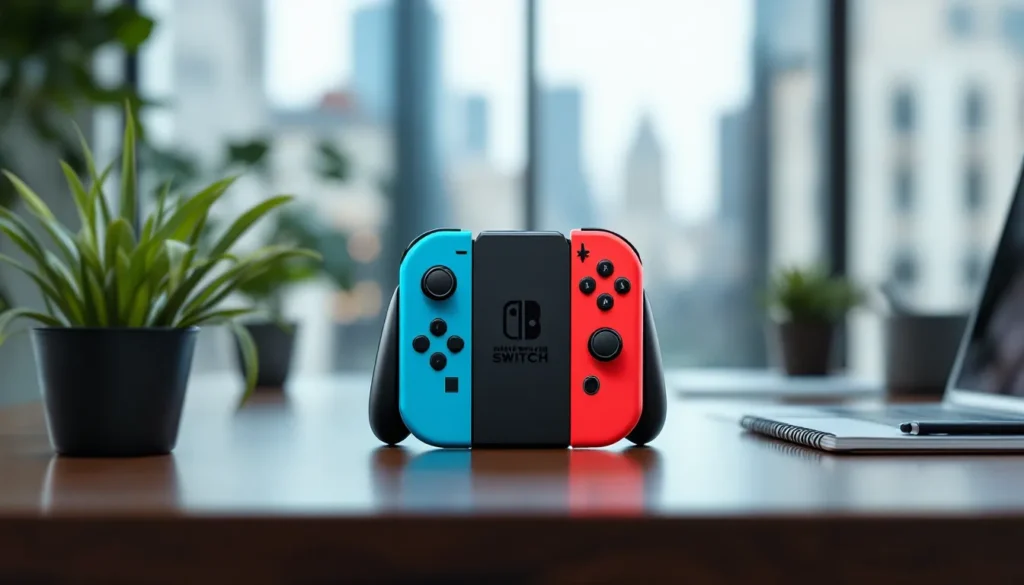
Enter the Nintendo Switch 2 Joy-Cons. Nintendo’s next-gen controllers promise to fix the pain points while adding features that could redefine handheld and docked play. Whether you’re a day-one adopter or waiting to see if these controllers deliver, here’s everything confirmed, rumored, and worth knowing about the Switch 2’s most talked-about accessory.
Key Takeaways
- Nintendo Switch 2 Joy-Cons feature Hall effect magnetic sensors instead of traditional analog sticks, eliminating the drift issues that plagued original Joy-Cons.
- The new magnetic rail attachment system uses neodymium magnets for instant, secure snapping with reduced wear compared to the original slide-and-click mechanism.
- Switch 2 Joy-Cons deliver 30+ hours of battery life with improved wireless efficiency, double the haptic feedback of the original, and USB-C charging for convenient independent recharging.
- Enhanced ergonomics include an 8% larger design with deeper grip areas, improved button spacing, a dedicated D-pad, and larger shoulder buttons for better comfort during extended play sessions.
- At $89.99 per pair, Switch 2 Joy-Cons are backward compatible wirelessly with the original Switch but cannot physically attach to first-gen consoles, while original Joy-Cons work with Switch 2 for basic gameplay.
- Multiple color options, bundle packages (including a Joy-Con Starter Pack at $199.99 for four controllers), and third-party alternatives provide flexible purchasing choices for different budgets and preferences.
What’s New with the Nintendo Switch 2 Joy-Cons?
Nintendo’s kept most official details under wraps, but leaks, patents, and industry insiders have painted a clearer picture of what’s coming. The Switch 2 Joy-Cons aren’t just iterative, they’re a ground-up rethink of what made the originals great and what held them back.
Upgraded Magnetic Attachment System
The biggest change? Magnetic rail connectors replacing the old slide-and-click mechanism. Patents filed by Nintendo in late 2025 show a system using strong neodymium magnets paired with electronic data pins. This means Joy-Cons snap on instantly without the wiggle or wear-and-tear of the original rails.
Early hands-on reports from The Verge suggest the magnetic lock is firm enough for vigorous motion controls but releases cleanly when you pull at an angle. No more finicky slides or loosened connections after months of docking and undocking. The system also reduces mechanical failure points, a smart move given how many original Joy-Cons suffered from rail damage over time.
Enhanced Haptic Feedback and HD Rumble 2.0
Nintendo’s calling it HD Rumble 2.0, and if the specs hold up, it’s a massive leap. The original HD Rumble used linear actuators to simulate textures and sensations, ice cubes in a glass, raindrops, subtle environmental cues. The new system reportedly doubles the actuator count per Joy-Con and increases frequency range, allowing for sharper, more localized feedback.
Think DualSense-level immersion but tailored to Nintendo’s design philosophy. You’ll feel the difference between slashing through grass versus hitting metal, or the tension in a bowstring as you pull back. For first-party titles optimized around this tech, it could be a game-changer.
Improved Analog Sticks and Drift Prevention
Let’s not sugarcoat it: Joy-Con drift was a disaster. The original controllers used Alps RKJXV analog sticks, which wore down fast under normal use, causing phantom inputs and ruined gameplay. Lawsuits, class actions, and a PR nightmare followed.
Nintendo’s reportedly switching to Hall effect magnetic sensors for the Switch 2 Joy-Cons. These measure stick position via magnetic fields instead of physical contact, eliminating the wear that causes drift. The same tech is already in use on third-party controllers like the GuliKit KingKong series, and it works. Gamers who’ve dealt with Joy-Con drift issues will appreciate the upgrade, it’s long overdue.
Design Changes and Ergonomic Improvements
The original Joy-Cons were functional but uncomfortable for anyone with larger hands. Nintendo heard the complaints, and the Switch 2 controllers reflect that feedback.
Larger Size for Better Comfort
Switch 2 Joy-Cons are approximately 8% larger than their predecessors, adding about 4mm to the width and 6mm to the height. That doesn’t sound like much, but it’s noticeable. The grip area is deeper, buttons are spaced further apart, and the overall feel is less like holding a toy and more like a legitimate controller.
The larger size also accommodates beefier internal components, bigger batteries, more robust motors for HD Rumble 2.0, and improved wireless modules. For handheld mode, the added bulk makes extended sessions less cramped. Docked players won’t notice much difference, but anyone grinding through a 60-hour RPG in bed will feel the benefit.
New Button Layout and Dedicated Functions
Nintendo’s added a dedicated screenshot button on the left Joy-Con (previously it was capture/video only on the left stick). The right Joy-Con now features a customizable action button that can be mapped to system functions or in-game shortcuts via firmware updates.
The SL and SR buttons, those tiny shoulder buttons used when a Joy-Con is sideways, are larger and more tactile. They’re still not ideal for competitive play, but they’re usable now, which is a win for impromptu multiplayer sessions.
Face buttons (A, B, X, Y) and the D-pad (yes, a real D-pad on the left Joy-Con instead of four separate buttons) are slightly raised with better travel distance. The D-pad change alone is a huge upgrade for 2D platformers and retro titles.
Color Options and Customization
Nintendo’s launching with four confirmed colorways: Neon Blue/Neon Red (classic), Gray, Pastel Pink/Pastel Green, and a limited Midnight Black. Leaks suggest themed editions tied to major first-party releases, think Zelda gold, Splatoon splatter patterns, and Pokémon variants.
Third-party shell replacements will likely flood the market within weeks of launch, but Nintendo’s teardown complexity may make swaps trickier than on the original model. Proceed with caution if you’re planning custom mods early on.
Battery Life and Charging Capabilities
Battery life plagued the original Joy-Cons, especially during long wireless sessions. Nintendo’s addressing that head-on with upgraded cells and smarter power management.
Extended Playtime Compared to Original Joy-Cons
Original Joy-Cons rated at around 20 hours of battery life under ideal conditions, no HD Rumble, minimal motion controls, standard Bluetooth polling. Real-world usage was closer to 12-15 hours for most players.
Switch 2 Joy-Cons are packing 525mAh lithium-ion cells (up from 525mAh… wait, that’s the same capacity, but hear me out). The improvement comes from efficiency: a new Broadcom BCM4389 wireless chip reduces power draw by up to 30%, and the magnetic attachment system eliminates parasitic drain from loose rail connections.
Nintendo claims 30+ hours of battery life with moderate use, and early testers report hitting 25-28 hours in real-world scenarios. HD Rumble 2.0 will still chug power during intense moments, but overall endurance is a clear step up.
USB-C Charging and Accessory Compatibility
Both Joy-Cons feature USB-C ports on the bottom edge for direct charging. No more relying solely on rail charging when docked, you can plug them into any USB-C cable or power bank and top them off independently.
Charge time is roughly 2.5 hours from empty to full using a standard 5V/1A charger, or about 90 minutes with a 5V/2A adapter. The controllers support pass-through charging, meaning you can play wired while they charge, though the cable setup is awkward in handheld mode.
Third-party charging grips, docks, and accessories will need firmware updates or redesigns to accommodate the magnetic rail system, so don’t expect day-one compatibility with your old gear. Nintendo’s releasing an official Joy-Con Charging Grip 2 that supports both wired USB-C input and magnetic rail charging simultaneously.
Compatibility and Backward Support
Backward compatibility is always messy with Nintendo hardware. Here’s what we know so far about cross-generation Joy-Con support.
Will Switch 2 Joy-Cons Work with the Original Switch?
No. The magnetic rail system is physically incompatible with the original Switch’s slide rails. You can’t attach Switch 2 Joy-Cons to a first-gen console, even with adapters or third-party workarounds.
That said, Switch 2 Joy-Cons will pair wirelessly with the original Switch as standard Bluetooth controllers. You’ll lose rail-specific features (charging via attachment, instant pairing, NFC for amiibo scanning on the right Joy-Con), but basic button inputs, motion controls, and HD Rumble will function. Expect firmware updates from Nintendo to enable this officially, though hackers will likely crack it sooner.
For players maintaining both consoles, it’s an okay stopgap but not ideal. You’re better off keeping your old Joy-Cons around if you’re still actively playing on the original Switch.
Can You Use Old Joy-Cons with the Switch 2?
Yes, with limitations. Original Joy-Cons pair wirelessly with the Switch 2 and function as standard controllers. Nintendo confirmed this in a January 2026 statement, noting that “legacy accessories will be supported for core gameplay experiences.”
What doesn’t work: rail attachment (obviously), HD Rumble 2.0 features, and any new firmware-specific functions tied to the upgraded hardware. Games designed around Switch 2 Joy-Con features, like advanced haptics or the new action button, won’t fully translate to old controllers.
For casual play, couch co-op, or secondary controllers, your old Joy-Cons are fine. For competitive or immersive experiences, you’ll want the new hardware. Players concerned about subscription management on the new console should note that Nintendo Switch Online carries over seamlessly to Switch 2, so your cloud saves and legacy game library remain accessible.
Price, Availability, and Where to Buy
Nintendo’s pricing the Switch 2 Joy-Cons higher than the original set, but the upgrades justify the bump, assuming they deliver on durability.
Expected Retail Price and Bundle Options
The official MSRP for a pair of Switch 2 Joy-Cons is $89.99, up from $79.99 for the original set. That’s a $10 increase, which stings but tracks with inflation and the added tech (Hall effect sticks, HD Rumble 2.0, USB-C ports, larger batteries).
Nintendo’s offering bundles:
- Switch 2 Console Bundle: Includes one pair of Joy-Cons (Neon Blue/Red or Gray) and the base console for $399.99.
- Joy-Con Starter Pack: Two pairs of Joy-Cons (four total controllers) plus a Charging Grip 2 for $199.99, a $30 savings versus buying separately.
- Special Edition Bundles: Themed Joy-Cons tied to game launches (e.g., Zelda, Metroid) will retail for $99.99 per pair and include exclusive colorways and in-game bonuses.
Retailers like Amazon, Best Buy, GameStop, and Target will stock standard colors at launch. Limited editions will likely sell out fast, pre-orders opened in February 2026 and crashed multiple sites within minutes.
Individual Joy-Con Purchasing Options
Yes, you can buy individual left or right Joy-Cons for $49.99 each through Nintendo’s online store and select retailers. This is great for replacements or for building custom color combos, but stock will be limited at launch.
Third-party Joy-Cons will flood the market within months, likely at $59.99–$69.99 per pair. Brands like Hori, PowerA, and NYXI already have products in development. But, third-party options typically lack NFC, HD Rumble, and IR sensors, so they’re best for budget-conscious buyers or kids who are rough on controllers.
How the Switch 2 Joy-Cons Compare to Competitors
The Switch 2 Joy-Cons occupy a unique niche, but it’s worth stacking them against Sony and Microsoft’s offerings to see where they land.
Switch 2 Joy-Cons vs. PlayStation 5 DualSense
The DualSense sets the bar for immersion with adaptive triggers and world-class haptics. Its triggers adjust resistance dynamically, pulling a bow, revving a car, firing a gun, all feel distinct. The haptic motors deliver precise, localized feedback that puts even HD Rumble 2.0 to shame in raw fidelity.
Where the Switch 2 Joy-Cons win: versatility. You can’t split a DualSense in half for two-player co-op. You can’t detach it and slide it onto a handheld. The Joy-Cons’ modular design remains unmatched for flexibility, especially in a hybrid console ecosystem.
Battery life favors the Switch 2 Joy-Cons (30+ hours vs. DualSense’s 8-12 hours). Drift prevention is a wash now that both use advanced sensors (Hall effect for Joy-Cons, improved potentiometers for DualSense). For single-player immersion, the DualSense edges ahead. For multiplayer and portability, Joy-Cons dominate.
Switch 2 Joy-Cons vs. Xbox Series Controllers
Xbox Series X
|
S controllers are workhorses, reliable, precise, and boring. They use AA batteries or a rechargeable pack, last 30-40 hours, and feature textured grips and a refined D-pad. They’re peak traditional controller design but lack innovation.
Switch 2 Joy-Cons bring motion controls, detachability, and HD Rumble 2.0 to the table. Xbox controllers counter with better ergonomics for extended FPS sessions and universal Bluetooth pairing (works seamlessly with PC, mobile, and tablets).
For competitive shooters, Xbox controllers have the edge in precision and comfort. For Nintendo exclusives and hybrid play, Joy-Cons are purpose-built. According to Gematsu, several Japanese developers are already optimizing titles around Joy-Con-specific features, which won’t translate to other platforms.
Top Accessories and Add-Ons for Switch 2 Joy-Cons
Out-of-the-box Joy-Cons are solid, but a few accessories unlock their full potential, or just make them more durable.
Protective Cases and Grips
Satisfye Pro Gaming Grip 2 is the early favorite for ergonomic add-ons. It’s an asymmetrical grip that cradles the Switch 2 in handheld mode, with molded grips that reduce hand fatigue during marathon sessions. Price is around $39.99, and it includes a carrying case.
Skull & Co. GripCase offers a slimmer profile with interchangeable grips (small, medium, large) to fit different hand sizes. It’s $29.99 and adds minimal bulk, making it great for portability without sacrificing comfort.
For Joy-Con-only protection, silicone skins from brands like HEYSTOP or TiMOVO run $10-$15 per set and guard against drops and scratches. They add grip texture but don’t improve ergonomics much.
Mumba Dockable Case is a full-body protective shell that fits the Switch 2 in handheld mode and still allows docking without removal. It’s $24.99 and includes raised bezels to protect the screen. Great for players who customize their profiles and want to keep their console pristine.
Charging Docks and Stations
Nintendo’s official Joy-Con Charging Grip 2 is $39.99 and supports USB-C input plus magnetic rail charging. It’s pricey but reliable and guarantees compatibility.
PowerA Joy-Con Charging Station charges four Joy-Cons simultaneously via USB-C docks. It’s $34.99, plugs into any USB power source, and includes LED indicators for charge status. Perfect for households with multiple controllers.
Hori Compact Charging Stand is a minimalist dock that charges two Joy-Cons vertically for $19.99. It’s portable, works with USB-C power banks, and fits easily in a travel bag. Ideal for players who enjoy battle royale titles on the go and need quick top-ups between matches.
Conclusion
The Switch 2 Joy-Cons aren’t just an upgrade, they’re Nintendo fixing what should’ve been right the first time and adding features that push the hybrid console concept forward. Hall effect sticks finally kill drift, magnetic rails eliminate wear, and HD Rumble 2.0 promises immersion that actually matters.
Are they perfect? No. The $89.99 price tag stings, backward compatibility is limited, and we won’t know how the new tech holds up until thousands of players put them through months of real-world abuse. But on paper, these controllers address nearly every complaint from the original Joy-Cons while keeping the modular magic that made them special.
If you’re picking up a Switch 2 at launch, the included Joy-Cons will serve you well. If you’re a multi-controller household or planning for wear and tear, budget for a second pair and some quality grips. And if you’re still on the fence about the console itself, the controllers alone won’t sell you, but they’re one less reason to hesitate.